2. Pre-processing
The preprocessing steps correct beam-induced motion in the micrograph movies resulting in merged micrograph images, and calculate a contrast transfer function (CTF) for each micrograph.
2.1. Beam-induced motion correction
The Motion correction job implements Relion’s own (CPU-based) implementation of the UCSF MotionCor2 program for convenient whole-frame movie alignment.
In the NEW JOB panel go to the Motion Correction section and select a RELION Motion Correction (RelionCorr) job. Use the following running parameters, default values can be used for any not listed. Note that Doppio automatically suggests existing valid input nodes for job options that require outputs from previous jobs. For example, here we are using previously imported micrographs as the input (i.e. the output of the Import job), so after clicking in the Motion Correction’s input field Doppio will automatically display all existing valid input files for this job, in our case that will be only the imported movies from the previous job.
Input movies STAR file:: Import/job001/movies.star
First frame for corrected sum:: 1
Last frame for corrected sum:: -1
NOTE: A negative value here means to use all the frames.
Write output in float16?::  Yes
NOTE: This will save a factor of 2 in disk space compared to the default of writing in float32. Note that RELION and CCPEM will read float16 images, but other programs may not (yet) do so.
Bfactor:: 150
Number of patches X:: 5
Number of patches Y:: 5
Group frames:: 1
Save sum of power spectra?:: Yes
Sum power spectra every e/A2:: 4
Binning factor:: 1
Gain-reference image:: Movies/gain.mrc
Gain rotation::  No rotation (0)
Gain flip::  No flipping (0)
Defect file:: <leave blank>
Do dose-weighting?:: Yes
Save non-dose weighted as well?:: No
NOTE: In some cases, non-dose-weighted micrographs give better CTF estimates. To save disk space, we’re not using this option here as the data are very good anyway
Dose per frame (e/A2):: 1.277
Pre-exposure (e/A2)::  0
HEADER: Running Options
Number of MPI procs:: 1
Number of threads:: 10
NOTE: This is an appropriate value on the DAaaS system computers with 12 CPU cores. If running on a different computer, set this to the number of CPU cores you want to use.
Hit Run and wait for the job to finish. It can take up to ~10 min to complete, on the current system during testing it took 8 mins.
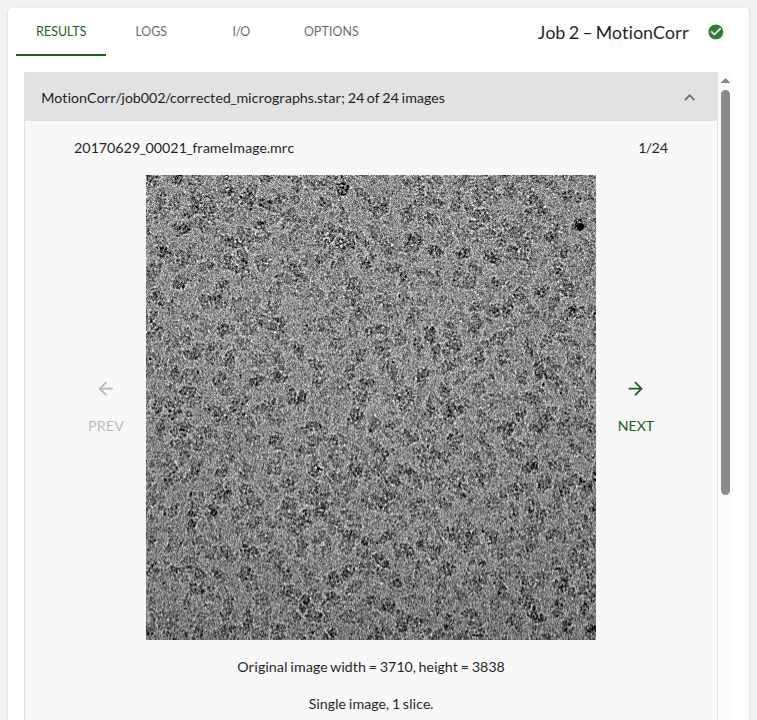
Now we can explore the RESULTS tab again. The first card will show a carousel of all your motion corrected and merged micrograph movies (i.e. the frames have been summed).
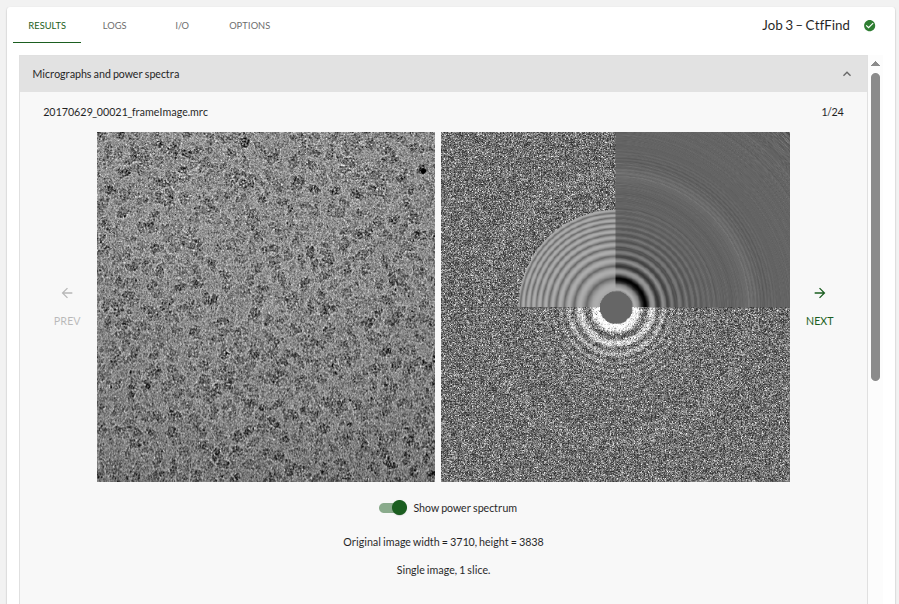
2.2. CTF Determination
Next, we will estimate the CTF parameters for each corrected micrograph. This job uses Alexis Rohou and Niko Grigorieff’s CTFFIND 4.1 to execute efficiently on the CPU.
Under CTF Determination create a new RELION CTF Estimation (CTFFIND4) job:
Input micrographs STAR file:: MotionCorr/job002/corrected_micrographs.star

Use power spectra from MotionCorr job?:: Yes

Use micrograph without dose-weighting?:: No
NOTE: These may have better Thon rings than the dose-weighted ones, but we decided in the previous step not to write these out

Estimate phase shifts?:: No
NOTE: This is only useful for phase-plate data

Amount of astigmatism (A):: 100
NOTE: Assuming your microscope was reasonably well aligned, this value will be suitable for many data sets

FFT box size (pix):: 512

Minimum resolution (A):: 30

Maximum resolution (A):: 5

Minimum defocus value (A):: 5000

Maximum defocus value (A):: 50000

Defocus step size (A):: 500

Estimate CTF on window size (pix):: -1

Use exhaustive search?:: No

HEADER: Running Options

Number of MPI procs:: 10
Then press RUN. The job should take less than 10 secs to execute. The RESULTS tab will show a carousel of all your micrographs along with their estimated power spectra on the first card. Moving through the carousel will show changes in the Thon rings, reflecting changes in the defocus values between micrographs.