Doppio Model Building tutorial
Introduction
This tutorial will cover basic model building and validation in the CCP-EM Software Suite using the Doppio interface. We will cover:
Fetching and docking AlphaFold models into a 3D map using em_placement
Manual refinement using Moorhen
Automated refinement with Servalcat Refine
Adding and refining ligands
Model validation
We will start with some files that have been imported from the RELION 5.0 SPA tutorial and will build an atomic model for beta-galactosidase using some of the model building tools in CCP-EM.
If you have just completed the SPA tutorial you may continue that project instead. In this case please be aware that the job numbers for your input parameters will not necessarily be the same as those set out in this tutorial - please ask for help if required! If you are continuing from your SPA tutorial project you may ignore the below instructions.
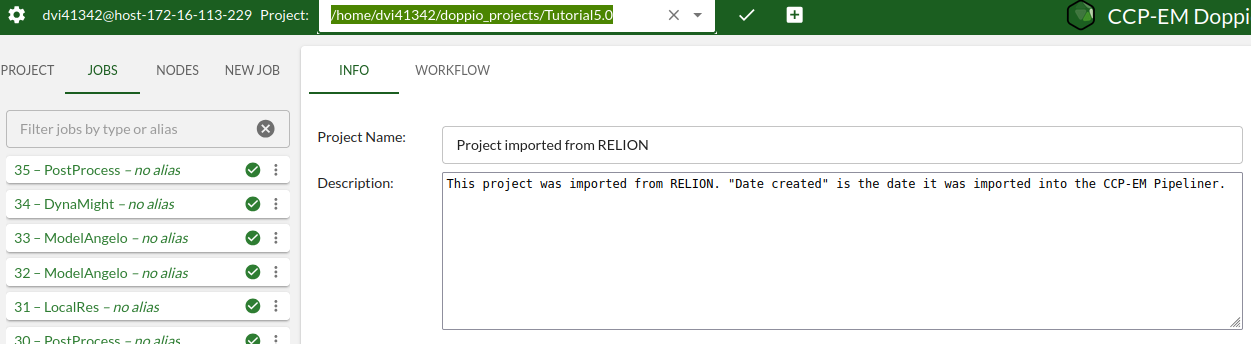
To select the pre-prepared project for this tutorial, use the project selection tool in the top tool bar. Click on the pen and then press the open/close arrow and select the ‘Tutorial5.0’ project, if it is not your default project. This project already has the required input data imported.
You can alternatively click the ‘plus‘ button to manually add/create a new Doppio project, but you should not need to do this for the tutorial.
Contents: