3. CTF Estimation
To estimate the CTF of the tilt series images we use the CTF estimation job in Doppio, which wrapps the CTFFIND-4.1. Go to NEW JOB tab in Doppio GUI and find the CTF Determination and choose RELION CTF estimation (Tomography) job.
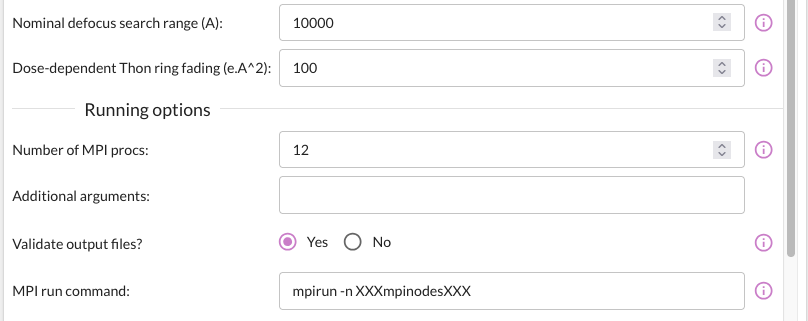
The job parameters we used are given in the image below.

Please refer to the Relion documentation below for further details.
Relion CTF Estimation job documentation.
3.1. Output of the CTF job
The output of the CTF Determination job is CtfFind/job003/tilt_series_ctf.star. The Doppio image viewer is a great tool to examine the output from this job.
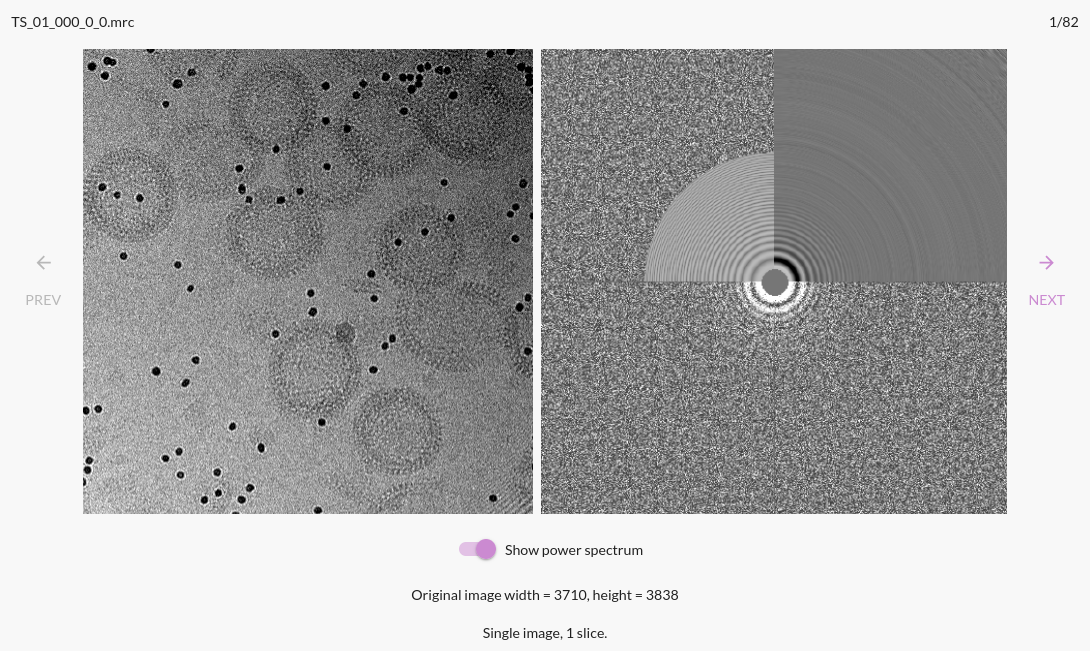
In the RESULTS tab, you can see the CTF estimation results for each tilt image. The CTF fit is shown in the image below. The fit is shown in the quadrant 2, and that should match
the Thon rings in quadrant 3. If the fit is not good, you can change the resolution range in the job parameters and re-run the job.
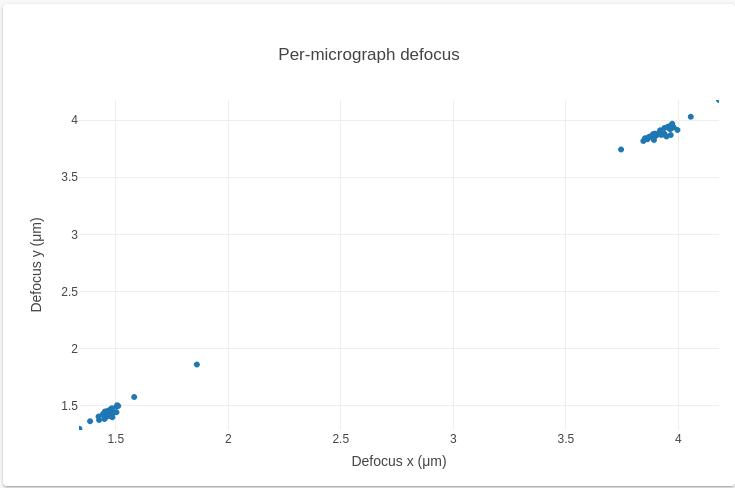
The estimated defocus values per tilt image are also shown in the scatter plot. It allows you to see fit-outliers and trends in the defocus values across the tilt series. In this scatter plot, the bimodal distribution indicates two distinct populations corresponding to the two tilt series. The outliers are shown in red. Both clusters on the diagonal (y=x) indicate Defocus(x) ~ Defocus(y), and the astigmatism is negligible. Similarly, clustering off-diagnal is a sign of astigmatism.